✨ Quickshot: Fill a 3D scene with your products in one click
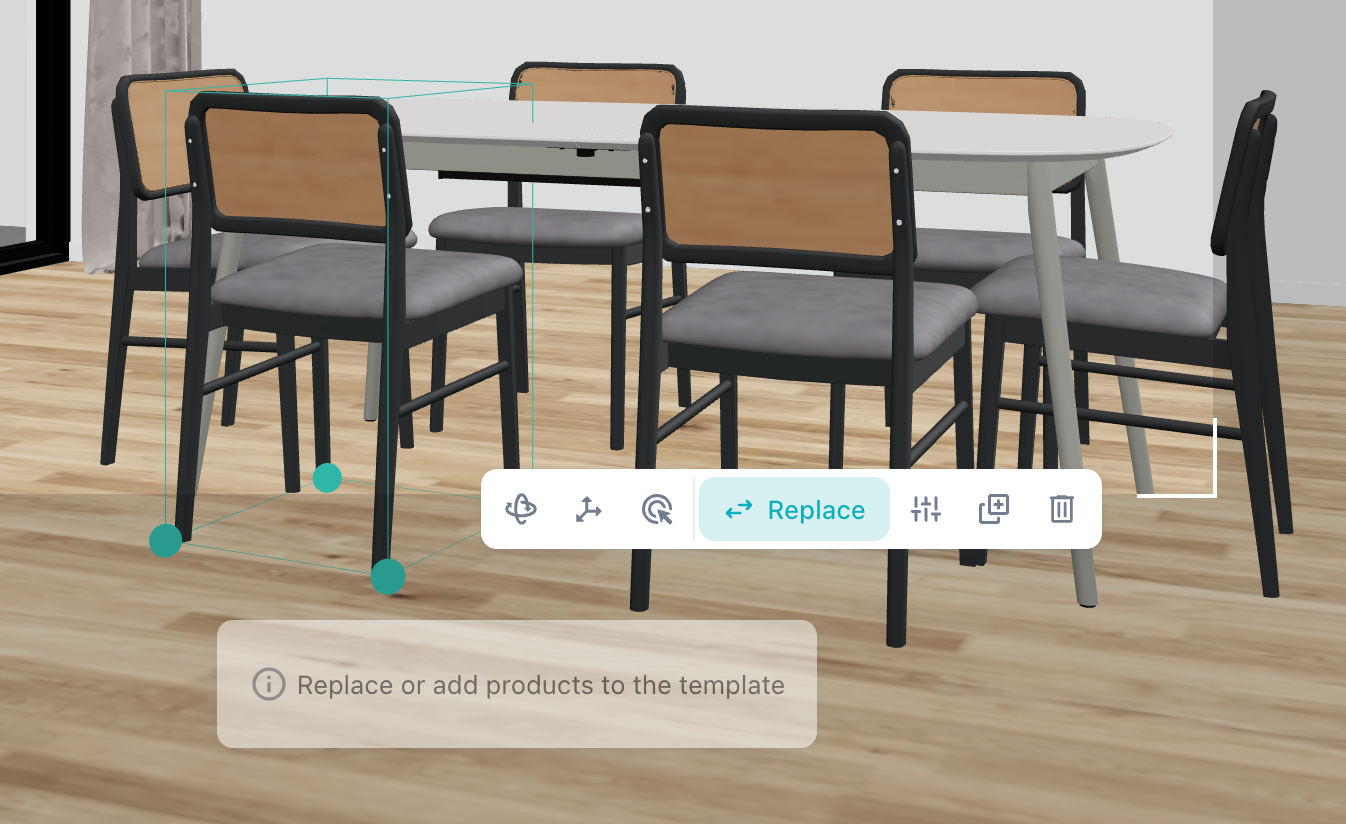
The 3D workflow now opens with a gallery of ready-made scene templates. Pick a scene, swap in your products, done — complex layouts are far faster to build, and swapping a product configuration across a scene is now a single click even when the same product appears many times over.
Why it matters
No more placing and configuring the same product six times. One click updates every instance, so you can try a different finish or model across a whole scene in seconds.
Details
Start from a template, then replace its placeholder objects with your products
One click swaps every instance at once — pick a chair and all six around the dining table become your product, each inheriting the placeholder's position and rotation
Changing configuration works the same way: swap once and every instance follows
Placeholders you don't replace aren't rendered, but they anchor the scale, with materials generated from your style input
Try it now — open the 3D workflow, pick a template and drop your best-selling product into it. First scene should take you under a minute.
Learn more about it here.